
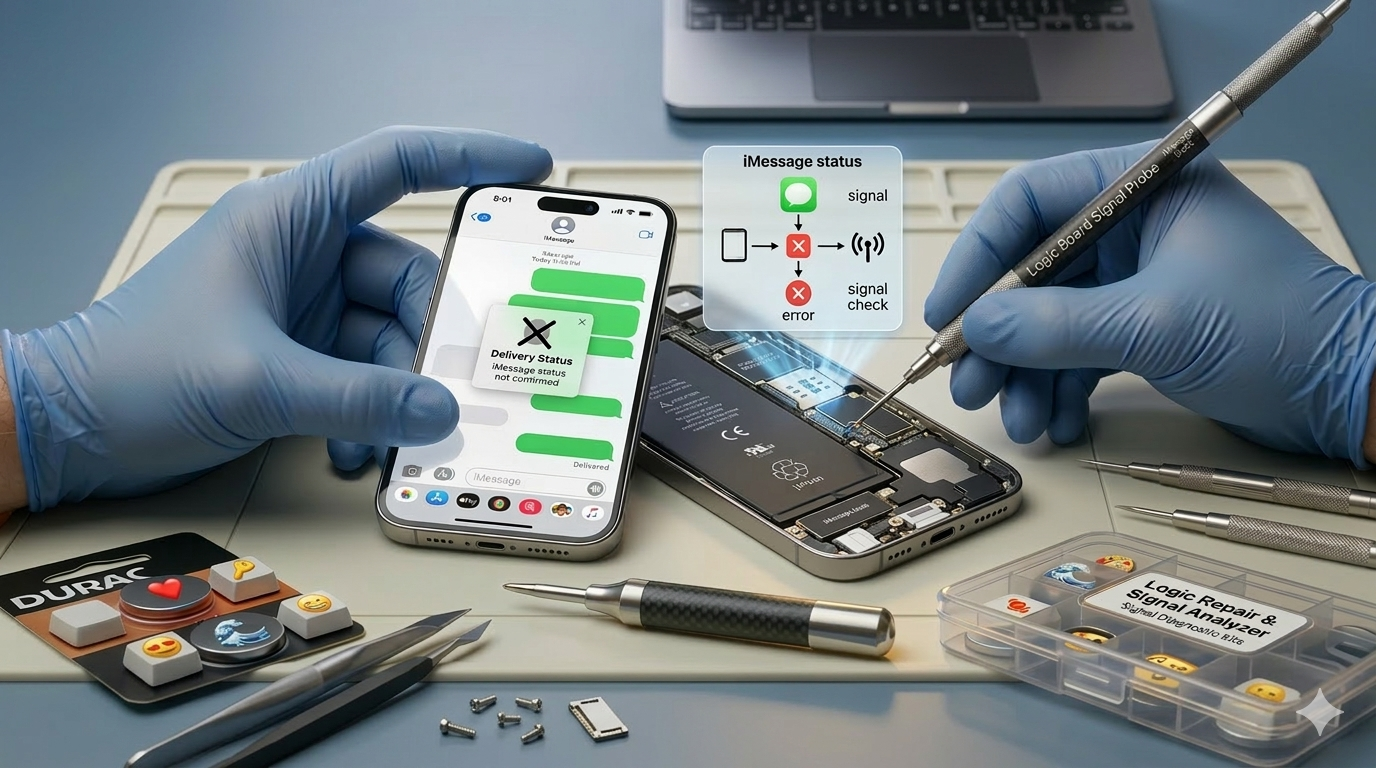
How to know if someone blocked you on iMessage is a question thousands of iPhone users search for every single day. Your message sits there with no status, and your mind starts racing fast. Apple never tells you directly when someone blocks you on iMessage, but nine clear signs give you a really strong and reliable answer. If you keep asking Am I blocked on iMessage, this guide is for you.
This guide covers every sign, every test, and exactly what each iMessage status change means. You will learn subtle clues, easy tests, and the difference between a real block and a simple technical glitch. We at Mr Repair USA help hundreds of iPhone users understand their devices daily. Our team explains iMessage features and fixes iPhone problems really fast. Let us help you figure out how to tell if someone blocked you on iMessage right now.
How iMessage Blocking Actually Works on iPhone
What Happens When Someone Blocks You
Start here to understand how to know if someone blocked you on iMessage. When someone blocks your number on an iPhone, several things happen instantly, following the same mechanics described on Apple’s support site for blocking contacts. Your iMessages stop delivering to their iPhone completely and silently. Your regular phone calls get redirected to their voicemail automatically.
FaceTime calls also fail without any explanation showing on your screen. Apple never sends you a notification confirming what happens when someone blocks you on iMessage. The person who blocked you also never sees your messages at all. Many users ask: can someone block you on iMessage,e and does iMessage tell you when someone blocks you?u. The answer to the first is yes, and the answer to the second is no.
iPhone users often confuse being blocked with simple network problems or phone issues. That is exactly why learning how to know if you are blocked on iMessage through several signs, rather than just one, matters so much. This also explains what blocked iMessage looks like: usually nothing at all, which is why the signs below matter.
Blue Bubbles vs Green Bubbles Explained Simply
The color of your message bubble tells you a really important story. Blue bubbles mean your message is sent as an iMessage through Apple servers. Green bubbles mean your message is sent as a basic SMS text instead.
iMessage only works when both people have it enabled and connected to the internet. Many people ask Why did my text messages turn from blue to green? Am I blocked? A switch from blue to green does not always mean you are blocked, since it can also mean the other person switched devices or lost service. But combined with other signs, it becomes a very strong signal.
iPhone users talking to other iPhone users should normally see blue bubbles. So when someone blocks you on iMessage, does it turn green? Sometimes, yes, but it is only one clue among several.
9 Clear Signs Someone Blocked You on iMessage
Sign 1: Your Message Never Shows Delivered
The clearest of all blocking signs is a missing delivered status. Normally, every iMessage shows Delivered underneath after sending successfully. If your text just sits there with no status below, that is worth noting carefully. Wait a reasonable amount of time, like several hours, before assuming anything.
One missing delivered notice could mean their phone is simply off right now. But if this happens consistently across multiple messages over days, it means something more. People often ask: if someone blocked you on iMessage, does it still say delivered, and if I’m blocked on iMessage, will it say delivered?. When you are blocked, messages typically do not show Delivered. Likewise, am I blocked if my iMessage says delivered? No, if it consistently shows Delivered, that suggests you are not blocked at all.
Users asking whether I got blocked on iMessage should check this pattern over 24 to 48 hours before concluding anything. A message with no delivered status on iMessage for days is a much stronger clue than a single delay.
Sign 2: No Read Receipt Ever Appears
Read receipts let you know when another person opened and saw your message. When someone blocks you, their read receipt never appears under your message. However, many iPhone users have Read Receipts turned off for everyone, so a missing Read Receipt alone does not confirm a block.
Combine this with a missing Delivered status for a much stronger indication overall. If you previously saw read receipts from this person and they suddenly stopped, that matters more. Users whose contacts suddenly stopped showing read receipts should check other signs too before assuming the worst.
Sign 3: Messages Switch From Blue to Green Bubbles
The green bubble situation is one of the most talked-about signs I’m blocked on iMessage. It also directly connects to the question of whether an iMessage says delivered, but the call goes straight to voicemail: am I blocked? If your chat with another iPhone user suddenly turns green, that is notable. Before assuming blocking, consider these other possible reasons first. That person might have switched to an Android phone.
Their iMessage might be turned off temporarily, or their internet connection might be poor. Apple iMessage servers sometimes have outages that make green bubbles appear briefly. But if green bubbles persist for days with no Delivered status, blocking is likely. Check Apple’s system status page first to rule out server issues before assuming the worst.
Sign 4: Calls Go Straight to Voicemail Every Time
How to know if someone blocked you on iPhone extends to phone calls too. When you call someone who blocked you, it goes straight to voicemail. You might hear just one short ring before voicemail picks up. Sometimes there is no ring when calling someone, and voicemail starts right away. People also ask Will the phone ring if you are blocked. Usually it rings once at most.
This happens because the iPhone automatically redirects blocked callers to voicemail. However, their phone being off or Do Not Disturb causes the same result. Call two or three times at different times of day to check properly. If you also forward calls on your own phone, our guide on call forwarding on iPhone explains how that can change what callers experience.
Sign 5: FaceTime Call Fails or Cannot Connect
FaceTime also stops working when someone blocks your iPhone number. Try making a FaceTime video or audio call to the person right now. If you see Cannot Connect, or the call just rings forever without answering, that is a sign. Normally, FaceTime shows a clear ringing animation while waiting for an answer.
A blocked FaceTime attempt often shows unusual behavior or fails very quickly. This is not 100 percent conclusive because bad internet also causes FaceTime failures. Combine this sign with the others for a more reliable overall conclusion. Mr Repair USA customers use this test alongside message tests.
Sign 6: You Cannot Add Them to a Group iMessage
This is one of the most reliable signs when you wonder how you can tell if someone blocked you on iMessage. Try creating a new group iMessage and adding the suspected person to it. If they blocked you, the group message will fail to include them properly. You might see an error, or the message simply will not be delivered to them at all.
Many users ask if someone blocks you on iMessage, but you are in a group chat, do they still get your message?. Individual blocking affects your direct messages, and group behavior can vary. That is why this test works best with a mutual friend who can confirm what they received. Try it with a small group of mutual contacts to test it discreetly. This test gives you a far more reliable result than checking bubble colors alone.
Sign 7: Their Social Media Shows Activity But No Reply
People who block someone on iMessage often block across multiple platforms simultaneously. Check if the person is active on Instagram or WhatsApp right now. If they post a story but never reply to you, that says a lot. On WhatsApp, you may see only one grey tick instead of two on your messages.
On Instagram, you cannot find their profile or view their posts when blocked. On Snapchat, their profile disappears from search, and your chat history vanishes. Users who see activity elsewhere but silence on iMessage have very strong evidence overall.
Sign 8: Typing Indicators Never Appear Anymore
Typing indicators are the three bouncing dots that appear when someone is typing. When someone blocks you on iMessage, these typing indicators never appear at all. You send a message, and there is complete silence with no activity showing anywhere. Previously, you might have seen them typing before they replied.
The sudden disappearance of all typing activity is a notable sign. However, typing indicators only appear if both parties have them enabled in settings. Some iPhone users turn off typing indicators for privacy reasons. Use this sign alongside others rather than as the only evidence you have.
Sign 9: Calls From a Different Number Go Through Normally
This is the most definitive test for how to know if someone blocked you. Borrow a friend’s phone and call the person using that different number. If the call rings normally and they answer, you have very strong evidence. Your original number is specifically blocked, while other numbers reach them fine.
This confirms the blocking is targeted at your number and not a general phone issue. Use this information to understand the situation and not to try to get around the block. People should only use this test to verify their suspicions are real. Being respectful and accepting the other person’s decision is always the right path.
Step-by-Step Tests to Confirm If You Are Blocked
Test 1: The iMessage Delivery Test
This simple iMessage test is the fastest place to start. Send a normal iMessage and watch carefully for the Delivered status below it. Wait at least 30 minutes and check if the Delivered notice appears. If no status shows after that time, send one more message and wait again.
Do this test across two different days at different times of day for accuracy. A consistent lack of delivery status is a very strong sign, and it is one of the fastest ways to answer how you know if you’re blocked on iMessage on your own. Make sure you have a strong WiFi or cellular connection before running this test, since poor internet on your end can also cause delivery failures unrelated to blocking.
Test 2: The Phone Call Test
Call the number from your own phone during normal daytime hours. Count how many rings you hear before voicemail picks up on their end. One ring or no rings before voicemail is a strong indicator. Normal unanswered calls ring four to six times before voicemail starts.
Try calling two to three times over two different days for better accuracy. If every call goes to a one-ring voicemail, the evidence keeps building. Remember, Do Not Disturb also sends calls to voicemail, so always test at different times. This is the core of the blocked vs. dead phone iMessage question, since a dead phone and a block can look alike at first.
Test 3: The Different Number Test
Ask a trusted friend to call or text the same person from their number. Use a phone number that the suspected blocker has never seen or saved before. If the friend’s message delivers and shows as Delivered, that is very strong evidence. If the friend’s call rings normally while yours goes straight to voicemail, that confirms it.
This test removes all doubt about network issues or the phone being turned off. It is the closest thing to actual confirmation that blocking is happening. Only use this test once, because repeatedly calling from different numbers is not respectful.
Test 4: The Group Message Test
Create a new group message and add both the suspected person and a mutual friend. Send a simple, normal message to the group and watch carefully. Ask your mutual friend if they received the group message on their iPhone. If your mutual friend got it, but the suspected person shows no delivery, that is very telling.
Group message evidence is reliable and hard to explain otherwise. This is also one of the best ways to tell if someone blocked you on iMessage without texting them directly. It is far more reliable than checking bubble colors alone for most users.
Common Reasons It Looks Like Blocking But Actually Is Not
Do Not Disturb and Focus Mode Effects
Knowing how to know if you’re blocked on iMessage requires ruling out Focus mode first. Do Not Disturb and Focus mode silence all notifications and can delay message delivery. The sender sees a notification that says notifications are silenced, along with a moon icon. Apple’s Focus guide explains exactly how this feature behaves across devices.
If you see that moon icon notification, the person is not blocking you at all. They simply have Focus mode enabled and will see your message when they check later. So, does Moon Mode or Do Not Disturb look like being blocked? Not exactly. Always look for the moon icon before assuming you have been blocked.
They Switched to an Android Phone
A switch from iPhone to Android turns all your blue bubbles to green immediately. This is not blocking at all, but simply a platform change on their end. Their iMessage might also still be active on their old Apple ID after switching phones. This can cause delivery confusion that looks exactly like blocking behavior. Check their social media to see if they posted anything about a new phone.
Network Problems or iPhone Turned Off
A bad internet connection on their side stops iMessage from reaching their device. If they are in an area with no signal, your messages will simply fail to deliver. Their phone being completely powered off also prevents message delivery temporarily. A dead battery causes the same symptoms as being blocked does.
All messages will be delivered at once when their phone comes back online with a signal. Always wait at least 24 hours before concluding blocking based on delivery failures alone. Rural and low coverage areas cause frequent false blocking suspicions.
They Turned Off iMessage Completely
People often ask why someone would turn off iMessage. Some iPhone users turn it off in Settings and use only regular SMS instead, to save data or because they changed devices. A common follow-up is: If I turn off iMessage, will I still receive messages?. Yes, you still receive regular SMS texts through your carrier.
When iMessage is off, your messages automatically switch to green SMS bubbles. This looks like the green bubble situation, but it is completely different. SMS messages to iPhone users with iMessage off still deliver normally via the carrier. If green bubble messages also stop delivering, then blocking becomes more likely overall. Users who switched carriers sometimes run into an iMessage activation issue, which causes similar confusion.
What You Should and Should Not Do If You Think You Are Blocked
Respect the Decision and Give Space
If someone blocked you, they chose the level of contact they are comfortable with. Respecting that choice is the mature and dignified thing to do in every case. Do not send many messages hoping that one will somehow get through. Do not create new Apple IDs or use different numbers to bypass their block. Do not ask multiple mutual friends to pass messages on your behalf constantly. Give the person space and turn your focus toward your own well-being.
Use a Neutral Channel if Something Is Truly Urgent
There are times when you genuinely must reach someone for an important reason. Sending one calm email is the fairest way to send an important message. Keep your message short and kind, and talk only about the one urgent thing. Do not use the message to ask why they blocked you or express anger. Accept whatever response, or non-response, comes back with grace.
Never Try to Circumvent or Bypass a Block
Trying to bypass a block using unknown numbers or fake accounts is wrong. In many US jurisdictions, this behavior can actually be considered harassment legally. It almost always makes the situation worse than it already was. The person blocked you because they needed distance or safety from contact. Detecting a block is useful for understanding a situation, not for bypassing one.
Privacy Etiquette and How to Handle Your Feelings
Understanding Why People Block Others on iPhone
People block others for many completely valid and personal reasons every day. Sometimes blocking is about personal boundaries after a difficult situation ends. A person might want space during a tough emotional time. Some people block to protect themselves from unwanted or overwhelming contact. The block is rarely about you personally being a bad person. Understanding this helps you process the situation more healthily.
Managing Your Feelings After Discovering a Block
Finding out you were blocked can feel really hurtful and confusing emotionally. Feeling hurt or confused is a completely normal reaction. Let those feelings exist without acting on anything you might regret later. Talk to a trusted friend or family member about what you are going through. Journaling can help you process and find calm over time. Mr Repair USA cares about your overall well-being, not just your iPhone.
Troubleshooting Technical iMessage Problems
Rule Out iPhone and iOS Problems First
Sometimes, apparent blocking signs are just technical iPhone problems. Update your iPhone to the latest iOS version through Settings, General, and Software Update. Go to Settings, then Messages, and toggle iMessage off, then back on again. Reset your network settings through Settings, then General, then Transfer or Reset iPhone.
Check Apple’s system status page for any ongoing iMessage outages. These steps fix many delivery problems completely unrelated to being blocked. Mr Repair USA fixes iMessage and network problems on iPhones fast and affordably. If the issue turns out to be hardware rather than a settings glitch, our team at the Alexandria shop can run diagnostics. If a cracked display is part of the problem, see our guide to iPhone screen repair.
Check Your Own Blocked Contacts List
Many people accidentally block someone without realizing they did it at all. Go to Settings, then Phone, then Blocked Contacts to check your own list. Make sure the person you want to reach is not on your own blocked list. If they are on your list, remove them and try sending a message again. Pocket dials and accidental taps sometimes add people to blocked lists unknowingly. Related security settings can also get in the way, which our guide on turning off Stolen Device Protection covers in detail.
Why iPhone Users Trust Mr Repair USA
Mr Repair USA is a trusted iPhone repair and support team for customers. We fix iMessage problems, network issues, and software glitches on every iPhone model. Our technicians explain blocking signs and iPhone features clearly every day. Thousands of happy customers trust Mr Repair USA consistently. We are far more affordable than Apple Store service and repair prices. Book your iPhone appointment with us today.
Conclusion
How to know if someone blocked you on iMessage comes down to nine reliable signs worth checking. A missing Delivered status, green bubbles, and voicemail calls are the strongest signs. Use the group message test and the different number test for more confirmation. Always rule out Do Not Disturb, Android switches, and network problems first.
If you confirm blocking, respect the decision and give the person space. Never try to bypass a block using different numbers or fake accounts. If your iPhone has technical iMessage problems, visit us today. Mr Repair USA fixes iPhone problems fast and affordably. Handle this situation with maturity, and your dignity stays intact.
Frequently Asked Questions
How do you know if someone has blocked you on iMessage?
Apple does not notify you, so you look for a pattern. Messages that never show Delivered, no read receipts, bubbles turning green, and calls going straight to voicemail all point to a block. The more signs you see together, the more likely it is.
Will iMessage say delivered if blocked?
No. Will it say delivered if blocked on iMessage is one of the most common questions, and the answer is consistently no: a blocked message never progresses past Sent to show a Delivered status, since it never actually reaches the other person’s device.
Will I know immediately if I am blocked?
Not immediately, no. A single missing Delivered status can also mean their phone is off or has no signal, so you should wait at least 24 to 48 hours and check multiple signs, such as calls going straight to voicemail, before concluding you have been blocked.
What does a blocked text look like?
A blocked text typically shows as Sent with no Delivered status ever appearing below it, and the bubble color may switch from blue to green if the recipient’s device stops accepting iMessages from your number specifically.
Does "Moon Mode" or "Do Not Disturb" look like being blocked?
It can look similar at first glance, but there is a clear difference. If the recipient has Focus or Do Not Disturb enabled, you may see a moon icon notification letting you know your notification was silenced rather than blocked, which is not something you see when you are actually blocked.
How can you tell if someone blocked you on iMessage without contacting them directly?
The group message test is the best option here: add the suspected person and a mutual friend to a new group message. If your mutual friend receives it normally but the suspected person shows no delivery at all, that is strong evidence of a block without you needing to message them again directly.
If an iMessage shows delivered, does that mean I am not blocked?
Yes. If your message consistently shows a Delivered status, that is strong evidence you are not blocked, since blocked messages are not delivered to the recipient’s device at all and therefore cannot show that status.
Can I tell if I'm blocked if my call goes to voicemail?
It is a clue, not proof. Blocked calls often go to voicemail after one short ring, but a phone that is off or in Do Not Disturb does the same. Try again at different times and combine it with other signs.
Will the other person know if I check for a block?
No. Sending a normal message, calling once, or running these tests does not alert them. Just avoid repeated messages or calls, which can feel like pressure.
