Have you ever been stuck in a group chat you never wanted? Now you wonder how to remove myself from group text messages. Most people just delete the thread and hope. New messages often keep coming back. Your phone type and message type matter a lot. Some groups give you a leave button, but many do not. This guide shows simple steps for iPhone and Android. You will learn when muting works better. We will cover what happens after you leave. You will also see what to do if the group feels rude. Do not worry because each step is easy. Let’s give you some peace and quiet.
Check Your Group Before Leaving
First, check your group before changing settings. Look at your app and message type. Your next step depends on both.
- iPhone iMessage: Open Messages and select the group.
- Android RCS: Open Messages and check group details.
- SMS Group: Look for mute or notification settings.
- Mixed Devices: Check whether Apple allows leaving.
- App Chat: Check the app’s own group settings.
How iPhone Group Texts Work
Apple gives iPhone users a simple exit option. Still, the group must meet certain rules. Everyone must use an Apple device. The thread also needs enough people. Apple says three other people must remain. If those rules fit, leaving takes seconds.
Leave an iMessage Group
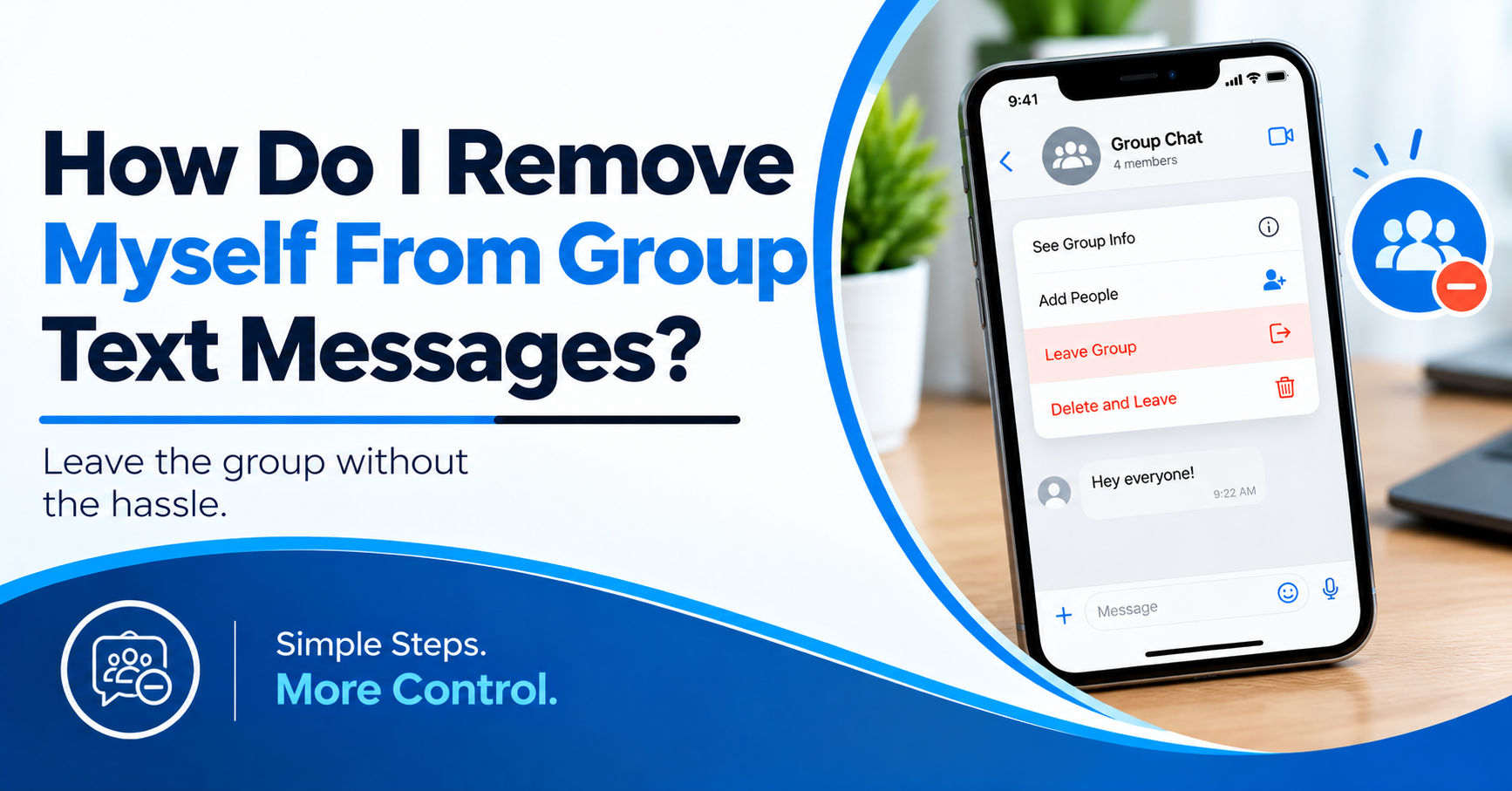
Open the Messages app on your iPhone. Open the group conversation you want to leave. Tap the group icons at the top. Scroll down through the group details. Tap Leave this Conversation. Then confirm your choice. Your name will leave the group thread. You won’t receive new messages from it.
Why The Leave Button Might Be Missing
The button might not appear for several reasons. Someone might use Android in the group. The thread might use SMS instead. The group might also have too few people. Apple does not offer the same exit option then. You still have another choice. Mute the thread instead.
Mute The Group Without Leaving
Open the group conversation again. Tap the group icons at the top. Look for notification controls or Hide Alerts. Turn alerts off for the conversation. You’ll remain inside the group. New messages will still arrive. Your phone simply stops making noise. This works well for short-term message overload.
What Android Users Need To Know
Android group texts follow different rules. Your message type matters more than your phone brand.
RCS groups often offer more group controls. Standard SMS groups work differently. Many SMS groups don’t offer a leave button.
So, don’t assume your Android phone has one. Ask: How do I remove myself from group text messages before deleting the thread?
- RCS Chat: Check Group Details for a Leave option.
- SMS Group: Look for mute controls first.
- Google Messages: Open the group and check details.
- Samsung Messages: Open the menu and check alerts.
- No Leave Button: Ask the group owner for removal.
How To Leave An RCS Group
Open Google Messages and select the group. Tap the group name or details area. Look for a Leave group option. If it appears, tap it. Confirm your choice when asked. Your phone should stop group messages afterward. Menus differ across Android phone models. So, read each screen before tapping. If you ask, how do I remove myself from group text messages, check RCS first.
How To Mute An SMS Group
Open the unwanted group conversation. Tap the three-dot menu near the top. Look for Notifications or Group Details. Choose Silent, Mute, or similar wording. Your exact label depends on your app. This stops alerts without removing the group. You might still receive new messages. The thread might also return to your inbox.
When Someone Else Must Remove You
Some group texts don’t support self-removal. This often happens with standard SMS groups. Ask the group creator to remove your number. Keep your message short and polite. You don’t need a long explanation. A simple request usually works best. If removal isn’t possible, mute the group. This gives you peace without changing group members.
Why Deleting The Thread Isn’t Enough
Deleting a conversation only removes your copy. It doesn’t remove your phone number. New group messages might appear again. This surprises many people after deleting chats.
Mute the group before deleting anything. This keeps new alerts from disturbing you. You also avoid deleting useful message history. So, how do I remove myself from group text messages without losing messages? Check the mute option first.
What To Do When Messages Keep Coming
Check your group type again first. Then check your notification settings. Make sure the group isn’t using another app. WhatsApp, Messenger, and other apps work differently. A message might also come through another thread. Check your blocked and muted lists too. These small checks often reveal the cause. If needed, restart your phone afterward.
What If The Group Feels Harassing?
Some unwanted groups create more serious problems. You don’t need to answer every message. Save messages if they contain threats. Block individual contacts when needed.
Report spam when your messaging app offers it. You should also protect private information. Don’t share passwords or banking details there. Avoid sending private photos to unknown contacts. For ongoing threats, contact local authorities. Your phone should remain a safe communication tool.
Additional Things To Check
Some people want to leave without conflict. Others only want fewer alerts. Pick the option matching your real need.
Leaving works best for supported iMessage groups. Muting works better for many SMS groups. RCS users should check their group details. Don’t keep deleting the same thread repeatedly. This won’t stop new group messages.
If you still wonder how to remove yourself from group text messages, check your message type first. That single check often saves time.
How Mr. Repair USA Can Help With Phone Problems
Group messaging problems often start with phone settings. Yet, some users face wider phone issues. A broken screen makes settings hard to use. A weak battery also causes missed alerts.
Charging problems create another layer of trouble. Mr. Repair USA handles smartphone repairs across Virginia. Their technicians work on major phone brands. They also handle tablets, laptops, and consoles.
The company offers same-day repairs for many devices. They provide upfront estimates before repair work starts. Repairs also come with warranty coverage. If your phone has wider trouble, contact Mr. Repair USA.
Alexandria customers can call 571-317-8195. Manassas customers can call 571-632-8163. Woodbridge customers can call 571-706-3723. Their team also handles many common phone faults.
Conclusion
Removing yourself depends on your group type. iPhone iMessage groups offer a clear exit. SMS groups often require muted alerts instead. Android users should check RCS support first. Deleting the thread doesn’t always stop messages. Check the group details before taking action. If your phone has other faults, seek repair help. Mr. Repair USA serves several Virginia locations.
Frequently Asked Questions:
Can I leave every group text on iPhone?
No. Apple limits leaving to supported iMessage groups. Everyone must use Apple devices. Three other people must remain. Otherwise, use Hide Alerts instead.
Why can’t I leave my Android group text?
Your group might use standard SMS messaging. Many SMS groups don’t support self-removal. Check for an RCS group first. If absent, mute the conversation.
Does deleting a group text remove me?
No. Deleting only removes your local thread. New messages might return later. Mute the group before deleting it. This prevents repeated notification problems.
How do I remove myself from group text messages?
First, check your phone and message type. iMessage groups offer Leave this Conversation when supported. RCS groups might offer Leave group. SMS groups often need muted alerts.
Will other people know when I leave?
Supported group chats usually show a leave notice. Apple shows other members when you leave. Muting doesn’t send a leave notice. Deleting chats also stays private.