
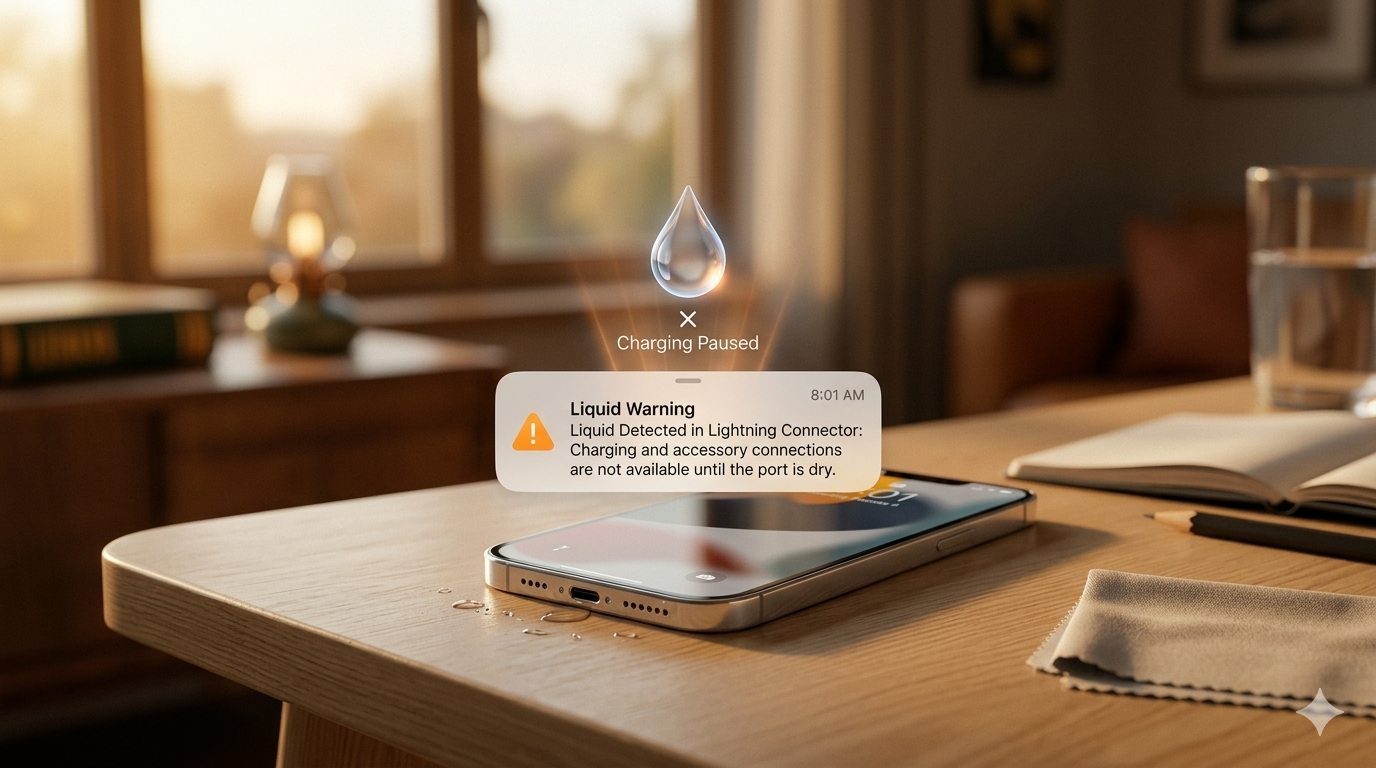
Is your iPhone showing a liquid detected in lightning connector alert and refusing to charge? Most iPhone users panic and make the problem much worse right away. Do not plug your charger back in until you read this complete guide. What you do in the next 30 minutes could save your entire device. Liquid detected alert fixes are something Mr Repair USA handles every single day.
This guide breaks down seven safe and proven fixes you can start right now. You will learn what to do, what to avoid, and why liquid detected in the lightning connector appears. We at Mr Repair USA have helped hundreds of iPhone users fix this problem already. Our team knows exactly what to do and what to avoid in every situation. Visit mrrepairusa.com if your iPhone needs professional liquid damage repair today.
What Does Liquid Detected in the Lightning Connector Actually Mean?
Simple Explanation Every iPhone User Needs
Liquid detected in the lightning connector means your iPhone found some moisture fast. Tiny sensors inside the Lightning port detected abnormal electrical resistance automatically. Your iPhone blocks charging to prevent a dangerous short circuit from happening. This is actually a really good safety feature Apple built into every iPhone model.
It does not always mean your iPhone has serious water damage inside at all. Sometimes, even humidity, sweat,t or condensation triggers this liquid detection alert immediately. Users near pools, gyms, or humid areas see this alert very often throughout the year. The alert disappears automatically once your Lightning connector dries out completely.
Why Does This Alert Appear When the Phone Seems Dry?
This confuses so many iPhone users every single day around the world. Your port might look dry, but microscopic moisture can still be hiding inside. A dirty or corroded port mimics the same electrical signal as real moisture does. A damaged or cheap Lightning cable can also trigger this false positive liquid detected alert.
Software glitches in some iOS versions cause a false lightning port wet alert, too. Try a different certified Apple cable before assuming your port is actually wet inside. This simple step solves the problem for many users within just a few minutes.
What to Do Immediately in the First 5 Minutes
Do These Things Without Waiting
The next five minutes are the most important for saving your iPhone completely. Acting fast and correctly prevents serious liquid damage to the iPhone from getting worse.
Do these things immediately right now. Unplug your Lightning cable or any accessory connected to your iPhone. Power off your iPhone to prevent any dangerous electrical short circuit from starting. Wipe the outside of your iPhone with a dry, lint-free cloth carefully. Hold the iPhone upside down with the port facing down gently in your hand. Tap it lightly to help any water droplets fall out naturally and safely.
Things You Must Never Do
Doing the wrong thing causes liquid damage to an iPhone way more seriously and quickly.
Never plug your charger back in while the liquid detected alert is still showing. Never use a hairdryer or any heat source on your iPhone port ever. Never stick cotton swabs or metal objects into the Lightning port at all. Never use compressed air at high pressure directly into the port. Never put your iPhone in rice because rice dust makes the problem significantly worse.
7 Easy Fixes for Liquid Detected in Lightning Connector
Fix 1 — Air Dry Your iPhone Naturally First
Natural air drying is the safest fix for liquid detected in lightning connector problems. Place your iPhone upright in a dry, well-ventilated area right now. A room with a running fan speeds up the drying process of the lightning connector significantly. Point the Lightning port slightly downward so gravity helps moisture escape naturally.
Wait at least one to six hours before trying to charge your iPhone again. Most minor moisture cases, like humidity and sweat, dry within two hours easily. Users with heavy water exposure should wait a full 24 hours before charging.
Fix 2 — Use Silica Gel Packs for Faster Drying
Silica gel packs are way more effective than rice for drying the Lightning connector on an iPhone. Place your iPhone into a sealed bag that contains several silica gel packs. Wait several hours while the gel packs absorb all moisture from around your device. These special packs pull damp air from the enclosed space around your iPhone very effectively.
You find these packs inside shoe boxes or purchase them online affordably. This method works really well for users dealing with liquid in the lightning connector of the iPhone during humid summer weather.
Fix 3 — Restart Your iPhone After Port Dries.
A simple restart clears software glitches, causing a false lightning port wet alert to appear. Once your port looks and feels completely dry, restart your iPhone fully. Hold the Side Button and Volume Down button together on your iPhone. Slide to power off and wait about thirty seconds before turning it back on.
Press the Side Button to start your iPhone back up completely. Sometimes iOS gets stuck showing the liquid detected in the lightning connector alert even after the port dries. Restarting forces iOS to recheck the port sensors fresh right away immediately. Many users fix false liquid-detected alerts this way in under two minutes.
Fix 4 — Try a Different Lightning Cable
A bad cable causes a liquid detected in lightning connector alert very often on iPhones. Your current cable might be damaged, corroded, or not Apple-certified at all. Unplug your current cable and connect a certified Apple Lightning cable instead. Clean the connector tip of the new cable with a dry, lint-free cloth first.
If the alert disappears, your old cable was the problem all along. Always use Apple-certified cables to avoid this problem from happening again in the future. Many users save money by checking their cable before visiting a repair shop.
Fix 5 — Switch to Wireless Charging Temporarily
Wireless charging is the perfect solution while you wait for your wet iPhone connector to dry. If your iPhone supports MagSafe or Qi wireless charging use it right now. This keeps your iPhone charged without touching the liquid detected Lightning port at all. iPhone 8 and all newer models support wireless charging automatically without any accessories needed.
Place your iPhone on any compatible wireless charger pad you have available. This buys you time to let the Lightning port dry safely and completely without risk. Users with wireless chargers never stress about the liquid detected in the charging port alert at all.
Fix 6 — Clean the Port Gently With a Soft Brush
Debris and lint inside the port trigger false iPhone water in charging port alerts constantly. Find a very soft bristle brush, like a clean toothbrush or anti-static brush. Gently brush the inside of the Lightning port to remove any built-up debris and lint. This will make the port sensors work correctly for your iPhone again quickly.
Never press hard or insert any metal objects inside the port under any circumstances. A clean port prevents false liquid detection from happening again and again. This fix works especially well when your iPhone was never actually near water at all. Mr Repair USA customers are always surprised by how much lint collects in ports.
Fix 7 — Use Emergency Override Only as a Last Resort
Emergency Override lets you force charge despite the liquid detected in the lightning connector alert. This option appears when you try to plug in while the alert is active on screen. Tap Emergency Override only when your battery is critically low, and you have no wireless charger. Only use this if you are completely certain the Lightning port is dry inside.
Using Emergency Override with moisture still present corrodes the port pins permanently over time. Repeated Emergency Override use causes expensive liquid damage to the iPhone repairs later on. Use this option only once as a last resort then let your port dry properly.
How Long Until the Liquid Detected Alert Goes Away?
Drying Times for Every Situation
iPhone users always ask how long the liquid detected in the lightning connector alerts actually last.
Tiny moisture from humidity or sweat takes 30 minutes to 2 hours to dry. More water, like rain or splashes, needs 2 to 6 hours of drying time. Heavy exposure, like submersion or large spills, needs 12 to 48 full hours. The alert disappears automatically once your iPhone sensors detect that the port is completely dry. Never force charge before the alert clears on its own naturally and safely. Waiting patiently saves you hundreds of dollars in professional repairs later on.
Why Does My Phone Say Moisture Detected When There Is No Moisture?
Four Reasons for False Liquid Alerts
False lightning port wet alert situations happen more often than most people realize today.
Reason 1 — Dirty or Corroded Port. Lint, debris, and corrosion mimic the electrical signature of real moisture inside. Cleaning the port gently with a soft brush usually fixes this problem very fast.
Reason 2 — Damaged Lightning Cable. A worn-out or cheap cable sends wrong electrical signals to your iPhone sensors. Try a brand-new Apple-certified cable to test whether the cable is the issue.
Reason 3 — iOS Software Glitch. Some iOS versions have bugs that trigger false liquid detected in lightning connector alerts unexpectedly. Updating to the latest iOS version usually fixes software-caused false alerts quickly.
Reason 4 — High Humidity Environment. Summer humidity and moisture in the air trigger iPhone sensors very easily. Moving to an air-conditioned room usually clears the humidity-caused liquid detection alerts fast.
Is the Liquid Detected Alert a Glitch Sometimes?
How to Tell if It Is Real or False
Yes, the liquid detected in the lightning connector alert is sometimes a complete glitch. Here is how to tell if your alert is real moisture or a false positive.
Signs it is a FALSE alert. Your iPhone was never near water or humidity recently at all. The alert appeared right after an iOS update was installed on your device. A different certified cable makes the alert disappear immediately for you. The alert comes and goes randomly without any actual water exposure happening.
Signs it is a REAL alert. Your iPhone was near water, rain, or a pool very recently. You were sweating heavily with your iPhone in your pocket during exercise. The alert appeared right after getting caught in the rain unexpectedly. You can see tiny moisture droplets inside the Lightning port with a flashlight.
When to Visit Mr Repair USA for Professional Help?
Signs Your iPhone Needs Professional Repair
Sometimes fixing a wet iPhone connector problem needs professional help right away. Do not wait too long because corrosion spreads quickly inside iPhones over time.
Visit Mr Repair USA immediately if the liquid detection alert persists for more than 48 hours after drying. Visit if you can see visible corrosion or green residue inside the Lightning port. Visit if your iPhone makes no sound and shows no charging animation at all. Visit if you smell anything unusual near the Lightning connector area of your device. Visit if your iPhone screen flickered or went black after any water contact.
Why iPhone Users Trust Mr Repair USA for Repair
Mr Repair USA is the most trusted iPhone repair shop for customers everywhere. We fix liquid damage iPhone problems for every iPhone model quickly and affordably. Our technicians clean corroded ports, replace damaged Lightning connectors, and do way more.
We diagnose lightning port wet alert issues quickly, honestly, and transparently every time. Thousands of happy customers trust Mr Repair USA every single day consistently. We are way more affordable than Apple Store out-of-warranty repair prices always. Visit mrrepairusa.com and book your iPhone repair appointment today.
How to Prevent Liquid from Being Detected in the Lightning Connector in the Future
Simple Prevention Tips for Every iPhone User
Saving your charging port from water damage is way easier than paying for a repair later.
Use a waterproof case with a port cover for daily iPhone protection. Dry your hands completely before handling your iPhone in any situation. Never charge near sinks, pools, or while sweating heavily outdoors at all. Use wireless charging at the gym, beach, or near any water source nearby. Check for condensation when moving from cold air-conditioned spaces to hot outdoor environments. Clean your Lightning port monthly with a soft brush to prevent lint buildup.
Conclusion
Liquid detected in the lightning connector does not have to mean expensive repairs at all. Act fast by removing the cable and powering off your iPhone immediately. Air dry with silica gel packs, try a different cable, le and restart your iPhone. Use wireless charging while your Lightning connector dries out completely and safely.
Never use Emergency Override with moisture still inside the port ever. If the liquid detected alert persists after 48 hours, visit mrrepairusa.com today. Mr Repair USA fixes liquid-damaged iPhones fast and affordably every single time. Do not wait and risk permanent corrosion inside your iPhone port.
Frequently Asked Questions
How do you fix liquid detected in the lightning connector?
Liquid detected in the lightning connector means your iPhone sensors found moisture or abnormal electrical resistance inside the port. Your iPhone blocks charging automatically to protect the internal components from a short circuit.
How long until the liquid detected goes away?
To fix liquid detected in the lightning connector, start by unplugging your cable and powering off your iPhone. Air dry the port naturally, use silica gel packs, and try a different certified Apple cable. Restart your iPhone after the port dries to clear any false alerts from the system.
Why does my phone say moisture detected when there is no moisture?
Minor humidity cases clear in 30 minutes to 2 hours. Rain or splash exposure needs 2 to 6 hours of drying time. Heavy submersion or spills require 12 to 48 full hours before the liquid detected alert clears automatically.
How accurate are iPhone liquid contact indicators?
The iPhone Liquid Contact Indicators (LCIs) are white stickers that turn red fast. They detect water or moisture, but can sometimes give wrong warranty results.
No, it is not safe to ignore the liquid detected in the lightning connector alert. Charging with moisture present corrodes the port pins permanently and causes expensive damage over time. Always let the port dry completely before charging your iPhone again.
