
Hey there, fellow gamer! Is your PS4 remote control repair giving you trouble? We totally get how annoying it is when controllers stop working correctly.
You’re ready for an epic gaming session, and then nothing happens. Your DualShock 4 doesn’t connect, or it just stops responding entirely. It’s incredibly aggravating when tech doesn’t play along with your entertainment needs.
But here’s some good news for you and your buddy, the beloved controller. Most PS4 controller issues can be fixed without having to spend money on a brand-new one. Simple troubleshooting steps often solve issues that first seem impossible to fix.
We at Mr Repair USA know precisely how to get controllers working. Our team in Alexandria and Manassas, VA, helps gamers restore functionality daily, whether it’s PS4 controller connectivity problems or physical damage needing attention now.
This guide walks you through every PS4 Remote Control Repair step you might need. From simple resets to swapping out spent internal components, we’ve got you covered. By the time you’re finished, most basic problems can be solved on your own.
PS4 Remote Control Repair Help: Learn How to Fix It
Wondering why your controller won’t connect or work right when you play your games?
- Hit the PS button once and your controller will link right up
- Switch off your PlayStation 4 system and unplug the power plug
- Remove the charging cable from your controller and leave it disconnected for now
- Check the backside of your controller and locate the super small opening
- Stick a thin paper clip inside and hold the button down for five seconds
- The reset is complete and your controller should be fixed up nicely now
- Plug your controller into the PlayStation 4 using the USB cable you have
PS4 DualShock 4 repair includes the fix of both software and hardware-related problems. We at Mr Repair USA handle all types of controller problems professionally. Whether simple or complex, every issue has a solution waiting for you.
Let’s discuss these steps in detail!
Step 1: Check Your Controller’s Battery and Charging Status
First things first, let’s make sure your controller actually has power. Plug it into your PS4 using the USB cable that came with it. It may work again by now , at least wait 30 mins, before you try?
Look up at the light bar on top of your DualShock 4 controller. When recharging, it should light up orange and turn blue when fully charged. If nothing lights up, your charging cable might be the problem here.
Try a different USB cable to see if that fixes the issue. Sometimes cables break internally even though they look perfectly fine from the outside. We at Mr Repair USA in Manassas often find that this simple fix works.
If your PS4 controller won’t charge, the battery might need total replacement. Batteries lose capacity after years of use and stop holding charges effectively. This is one of the most common repair needs we see.
Step 2: Reset Your PS4 Controller Completely
When charging doesn’t solve your problem, try resetting the controller instead. Find the tiny reset button on the back near the L2 trigger. You’ll need a paperclip or a small pin to press it gently.
Hold the reset button down for about five seconds before releasing it. The controller will turn off and clear all previous connection settings stored. Now connect it to your PS4 using a USB cable again.
Press the PS button once the cable is connected to your console. The light bar should start flashing and then stay lit up solid. This means your controller is syncing with the PS4 system successfully now.
If you’re searching for PS4 controller repair near me in the Alexandria, VA area, we’re here. Mr Repair USA provides quick reset services when DIY methods don’t work. Sometimes controllers need professional attention to sync properly after long storage periods.
Step 3: Fix PS4 Remote Play Connection Issues
Remote Play is not working, and your controllerwon’t connect. Ensure your PS4 is in Rest Mode or powered on. Your console has to be on the same network as your device.
Ensure you’re signed into the same PlayStation Network account everywhere. Your phone, PC, or tablet needs matching credentials with the console. This is often why PS4 Remote Play controller problems happen unexpectedly.
Enable Remote Play on your PS4 by going to the Settings menu first. Select Remote Play Connection Settings and check the box to enable it. Your console needs this feature turned on to work with external devices.
If the connection still fails, restart both your console and the device completely. Sometimes a fresh start clears up network glitches, preventing proper communication entirely. We at Mr Repair USA help customers troubleshoot these connectivity issues regularly.
Step 4: Clean Your Controller Thoroughly Inside and Out
Wireless PS4 controller malfunction issues can happen in most of the PS4 for dust and dirt compounding over time. Take a soft microfiber cloth and wipe the entire controller, including the grooves around buttons and joystick bases.
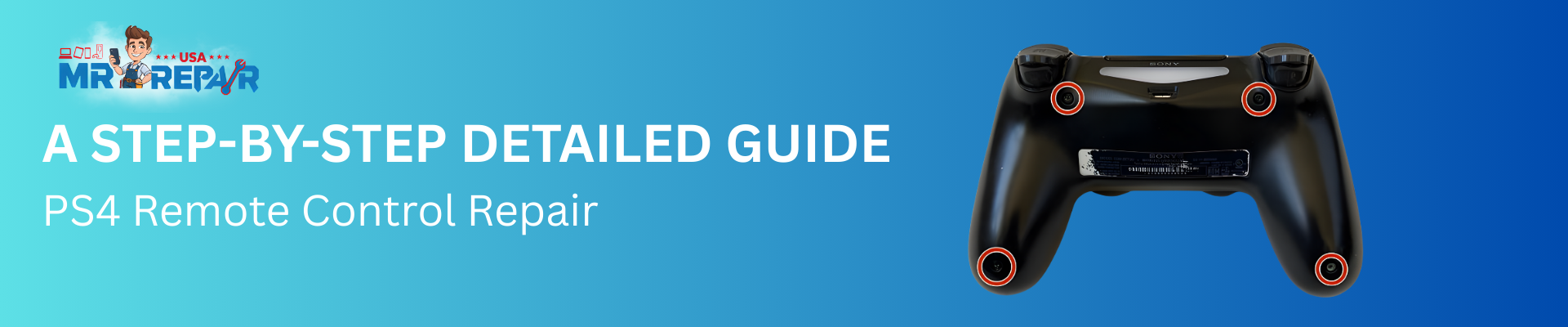
You’ll have to baby the controller open if you want to clean deeper. Remove the four screws on the back using a small Phillips screwdriver, and carefully separate the front from the back without tearing its internal ribbon cables.
When open, use canned air to blow out dust from under the button membranes. Use a cotton swab soaked in rubbing alcohol to clean circuit boards. Allow all components to dry thoroughly before putting your controller back together.
By keeping the controller clean, you can get away from some of the sticky buttons and make more impressions during a game. If it all sounds like a lot of work and expense, here’s how often you should clean: If you use your console all the time, do this about every three months. Mr Repair USA in Alexandria also offers professional cleaning for the more challenging cases.
Step 5: Replace Worn-Out Buttons and Joystick Components
Are your buttons sticking or not clicking properly when you press them? You should replace the rubber conductive pads underneath each button. These pads wear out after thousands of button presses over many months.
PS4 analog stick drift is another super common issue we fix often. The joystick sensors get worn and send incorrect movement signals to games. Replacement analog stick modules are available online for about ten dollars each.
To replace these parts, open your controller following the cleaning instructions above. Remove the battery and unscrew the motherboard to access the button membranes completely. Swap out the worn rubber pads with brand new replacement pieces.
For joystick replacement, desolder the old module and solder a new one. This requires some technical skill and proper soldering equipment to do safely. If you’re uncomfortable doing this yourself, bring it to Mr Repair USA.
We have experienced technicians who replace PS4 controller parts quickly and affordably. Our Manassas location stocks all standard replacement components for immediate service. Don’t let drift ruin your gaming experience when solutions are readily available.
Step 6: Fix USB Port and Charging Problems
Is your controller not charging even with multiple different cables tried already? The USB port itself might be loose or broken from repeated use. This happens when cables are yanked out roughly or bent at angles.
Inspect the USB port closely using a flashlight to see inside clearly. Look for bent pins or debris blocking the connection points completely. Sometimes lint gets packed in there and prevents proper cable contact.
For completely broken ports, replacement requires soldering skills and proper electronic tools. The port must be desoldered from the circuit board and replaced entirely. We at Mr Repair USA handle these PS4 controller charging port repairs professionally.
Our technicians in Alexandria and Manassas have the expertise for delicate repairs. We replace ports quickly so you can get back to gaming soon. Searching for a reliable game controller repair near me ends with our trusted service.
Step 7: Update Your PS4 System Software Regularly
Occasionally, controller connection issues occur due to outmoded system software. Ensure that your PS4 is running the latest firmware. Go to Settings, then System Software Update, and see if there’s an update available for your device.
Download any that you see so both your console and the controller can work in harmony together. Sony frequently updates the compatibility of controllers with the latest PlayStation and fixes known issues. Staying up to date helps avoid many problems in the first place.
After updating, restart your console completely before testing the controller connection again. Sometimes the system needs a fresh boot to apply changes properly. This simple step fixes many mysterious controller problems people experience randomly.
We recommend enabling automatic updates so you never miss essential improvements released. Go to Settings, then System, then Automatic Downloads to turn this on. Mr Repair USA continuously checks software versions when diagnosing controller issues, too.
Step 8: Test Controller on Different Devices
Want to verify that your problem with the controller is actually a device problem and not something wrong with the console? So try turning your DualShock 4 controller into a computer or smartphone instead. Get DS4Windows on a PC, or do it wirelessly with Bluetooth on your phone.
Also, if the controller is functioning correctly on another console, then it’s not a calibration or related issue with your controller. Your console’s Bluetooth module or one of its USB ports could be at fault. This helps to isolate where (who, really) the actual problem lives.
When the controller doesn’t work anywhere, the problem is definitely with the hardware. PS4 wireless controller repair becomes necessary to restore full functionality across devices. Internal components like the Bluetooth chip might need replacement by professionals.
Testing on multiple devices saves you time and money figuring things out. You won’t waste effort repairing the wrong thing when something else fails. Mr Repair USA in Manassas uses this diagnostic approach for accurate repairs.
When to Seek Professional PS4 Remote Control Repair Services
Some repairs are too tricky or dangerous to try without the proper training. Don’t feel pressured to open up electronics if it makes you uneasy. Professional repair services are available and specialize in fixing complex controller issues safely.
We at Mr Repair USA offer expert PS4 remote control repair in Virginia. Our technicians have years of experience fixing all types of controller problems. From simple battery replacements to complex motherboard repairs, we handle everything professionally.
Bring your broken controller to our Alexandria or Manassas locations for evaluation. We’ll diagnose the exact problem and give you a fair price quote. Most repairs are completed the same day, so you’re not without gaming for long.
Don’t throw away a controller that just needs minor repairs to work. We fix issues for much less than buying brand new replacements. Our warranty covers all repair work, giving you peace of mind always.
Looking for the best video game controller repair shop near me in Virginia? Mr Repair USA is your answer for quality service and affordable pricing. We’re gamers too and understand how essential working controllers are daily.
Conclusion
Dealing with a broken PS4 remote control repair doesn’t have to ruin your gaming fun. Most controller problems have simple solutions you can try at home first. From basic resets to battery replacements, many fixes require minimal technical skills.
When DIY methods don’t work, professional help is available close to home. We at Mr Repair USA specialize in all types of gaming controller repairs. Our Alexandria and Manassas, Virginia, locations are ready to help you.
Don’t let a malfunctioning controller keep you from enjoying your favorite games. Whether you need PS4 DualShock 4 repair or general troubleshooting advice, we’re always here. Contact Mr Repair USA and get back to gaming quickly with confidence.
Remember that prevention and regular maintenance keep controllers working more extended period. Clean them regularly, charge properly, and handle with care for the best results. Your controller is an investment worth protecting through proper care and attention.
FAQ
How Much Does A Ps4 Controller Repair Cost At Mr Repair Usa?
Repair costs depend on what specific problem your controller currently has. Simple fixes like battery replacement cost around twenty-five dollars, usually here. More complex repairs involving motherboard work might cost fifty to seventy dollars. Contact our Alexandria or Manassas locations for exact pricing on your controller.
Can You Fix Ps4 Controllers That Won’t Turn On At All?
Yes, we fix controllers that seem completely dead and show no signs of life. Often, the problem is just a drained battery or a loose connection inside. Our technicians diagnose the exact cause and repair it correctly for you. Most non-responsive controllers are fixable unless severely physically damaged from drops.
How Long Does Ps4 Remote Control Repair Take To Complete?
Most PS4 controller repairs finish within one to two hours at our shop. Simple issues like button replacement or cleaning take even less time, usually. Complex motherboard repairs need a full day for proper testing afterward. We always complete repairs the same day whenever physically possible.
Do You Repair Ps4 Controllers With Water Damage Issues?
Water damage repair is possible if you bring the controller to us quickly. The longer water sits inside, the more corrosion develops on the circuits permanently. We clean affected areas and replace damaged components to restore functionality completely. Success depends on how severe the water exposure was initially, though.
Is It Worth Repairing An Old Ps4 Controller Or Buying New?
Repairing is almost always cheaper than buying a brand-new controller replacement. New DualShock 4 controllers cost sixty dollars or more in stores, typically. Our repairs usually cost half that or less, depending on the issues. Plus, you keep your familiar controller with all its wear patterns.
What Areas Do You Serve For Ps4 Controller Repair Services?
Mr Repair USA proudly serves Alexandria and Manassas, Virginia, with expert repairs. We also help customers from surrounding areas who visit our convenient locations. Bring your broken controller to either shop for fast, reliable service. We’re your local trusted source for all gaming repair needs, always.
