
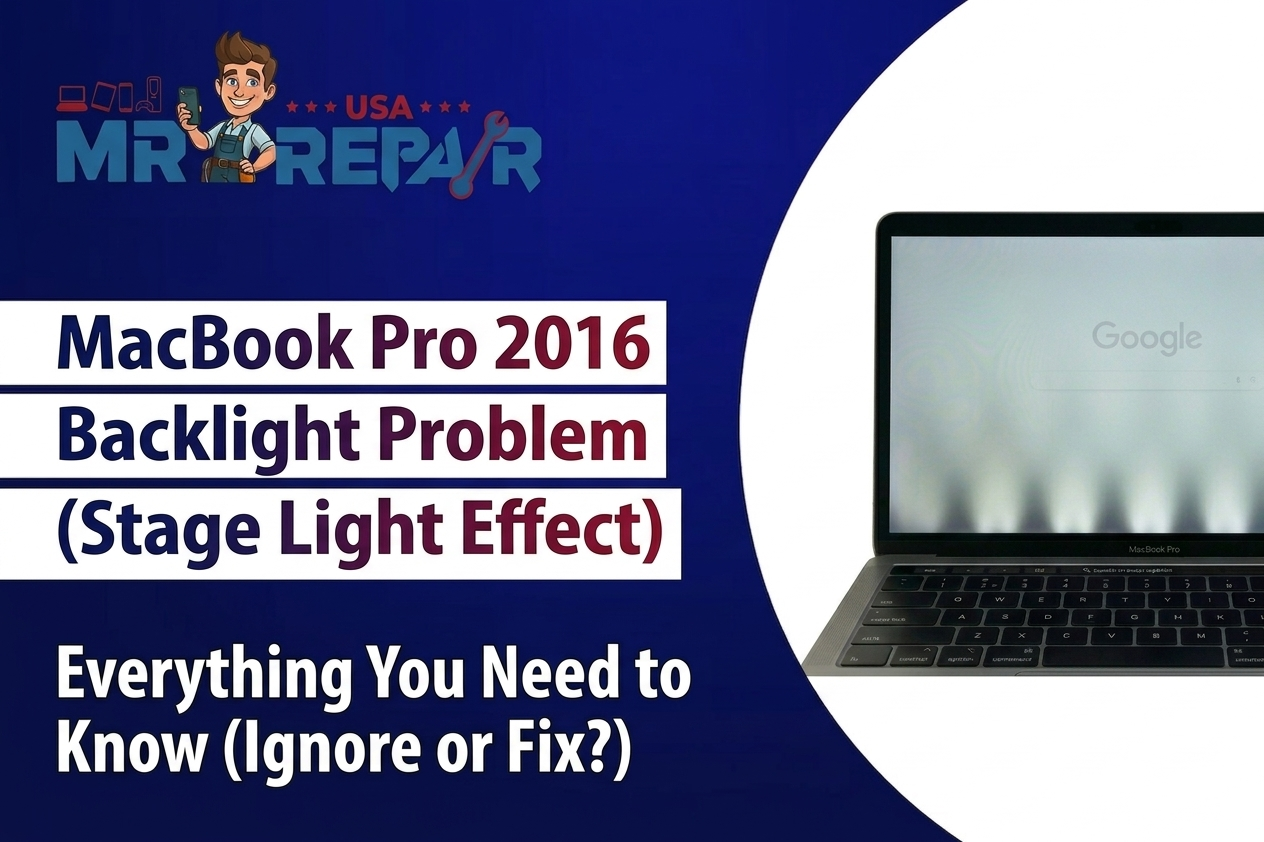
Have you ever faced a Macbook Pro 2016 Backlight not working issue on your 2016 model? This is a known 2016 design flaw affecting MacBook owners everywhere. Apple quietly updated the defective backlight cable in 2018 with no public notice given to customers.
Most customers never learn the real cause of their screen failure. MacBook Pro backlight repair in Alexandria and Manassas solves this exact backlight issue macbook pro problem the right way. This guide explains the flaw Apple hoped you would never find out about.
You will learn about the cable failure, the repair process, and what it truly costs. We at Mr. Repair USA have helped hundreds of Virginians fix this exact issue. Our repairs are fast, guaranteed, and use only quality parts, so let us fix your screen the right way.
What Is the MacBook Pro 2016 Backlight?
The Apple MacBook Pro backlight uses a short ribbon cable wrapped tightly around the hinge. Every time you open your lid, the cable stretches and pulls hard against itself. Apple made the cable far more fragile than it ever needed to be.
Over months of use, the backlight cable of the MacBook simply wears out completely. The 13-inch and 15 inch models are both affected by this issue equally. This design problem is officially known as MacBook Pro flexgate within the repair community.
How to Know If Your MacBook Backlight Is Really the Problem?
Shine a flashlight directly at your screen while it is turned on. If you see a faint image underneath, your MacBook Pro backlight not working diagnosis is confirmed without much doubt. Another clear sign is the well-known stage light effect at the bottom of the screen.
You will notice bright and dim patches lined up along the very bottom edge. A working external monitor rules out any GPU or logic board problems quickly. These symptoms mean your dim MacBook screen journey almost always starts with the cable itself.
Quick Fixes You Can Try at Home
Try these steps before paying anyone a single dollar for repair help.
- Reset the SMC first by pressing Shift, Control, Option, and Power together for about ten full seconds on your keyboard.
- Check your brightness settings by browsing System Preferences, then Displays, and raising brightness all the way up manually.
- Boot into Safe Mode by holding Shift while your MacBook starts up to clear any software conflicts quickly.
- Run Apple Diagnostics by pressing the D key on startup to flag any hardware error codes present.
These fixes help with minor issues, but they will not solve a genuinely broken backlight cable on a MacBook.
MacBook Pro 2016 Backlight Repair Options and Real Costs
MacBook Pro 2016 backlight repair costs vary a lot depending on where you go in Virginia. Apple charges between four hundred and six hundred dollars for a full display replacement once the warranty has expired. Independent shops in Virginia typically charge one hundred fifty to three hundred dollars for the same repair job.
Some advanced shops can microsolder an extended cable for far less money overall. This is actually the same fix Apple quietly applied inside their 2018 MacBook Pro models. Mr. Repair USA offers honest quotes before any Virginia repair work begins at all.
Is Your 2016 MacBook Still Worth Repairing?
A MacBook Pro flexgate repair makes sense if the rest of your laptop still runs well. Weigh your daily use and overall value before agreeing to any repair bill. When repair costs pass half the market price of the laptop, switching to a fresh unit may make more sense.
Virginia residents can get a free diagnostic at Mr. Repair USA before making any decision. Most 2016 MacBooks with good specs are absolutely worth a cable repair. Visit Mr. Repair USA to find out your best option available in Virginia.
Why Choose Mr. Repair USA for MacBook Pro 2016 Backlight Repair
Mr. Repair USA serves Virginia with fast and honest MacBook repair every single day. Our technicians understand the Apple MacBook Pro backlight issue better than almost anyone else around.
- Certified MacBook technicians who have fixed hundreds of MacBook Pro 2016 backlight cases successfully.
- Transparent pricing with no hidden fees before any repair work ever gets started here.
- Fast turnaround, so most Virginia customers get their MacBook back the very same day.
- Warranty included on every repair, so you stay fully protected after leaving our shop.
How to Prevent Future MacBook Backlight Problems
Prevention is far cheaper than any MacBook Pro 2016 backlight repair bill you might face later.
- Open your lid gently and avoid snapping it open fast, which reduces stress on the fragile cable inside.
- Keep macOS updated, since firmware updates sometimes include fixes for display management and power settings.
- Avoid extreme heat, since high temperatures cause damage to inner wires and parts to form very quickly.
- Use a protective sleeve to shield the glass from any pressure when your MacBook sits inside a bag.
Conclusion
A backlight issue MacBook Pro owners face is real, and Apple should have addressed it much sooner. Begin with the SMC reset and flashlight check to verify your specific fault right now. If software fixes do not work, a cable repair is your most affordable next step. Virginia residents trust Mr. Repair USA for fast, honest, and affordable MacBook repair every time. Do not let a dim screen stop you from using a laptop that still runs really well. Visit Mr. Repair USA and book your free Virginia diagnostic appointment.
Frequently Asked Questions
How to fix the backlight on MacBook Pro?
Fix a MacBook Pro backlight not working issue by first resetting the SMC or PRAM and adjusting your brightness settings. Keyboard light can be managed separately in System Settings. If the screen stays dark after these steps, a hardware repair is likely required.
How do I turn on my MacBook Pro backlight?
Adjust the brightness slider in System Preferences under Displays, or use the function keys on your keyboard. If the apple macbook pro backlight does not respond at all, the ribbon cable behind the hinge may need replacement.
How much does it cost to repair a MacBook backlight?
Apple typically charges between four hundred and six hundred dollars out of warranty, while independent Virginia shops charge one hundred fifty to three hundred dollars for the same backlight issue macbook pro repair.
Is it worth fixing the backlight?
Yes, in most cases. If the rest of your MacBook runs well, a backlight cable repair is usually far cheaper than replacing the entire laptop.
Can I fix MacBook Pro backlight myself at home?
Basic troubleshooting like an SMC reset or brightness check is safe to try at home, but the actual cable replacement involves delicate microsoldering work that is best left to a certified technician.
