
Laptops Repair Services
in Virginia USA

Your Laptop Won't Start. We'll get the laptops repair done for you and get you back to work fast!

Your laptop is your workstation, your study hub, and your connection to everything important. When it won’t boot, the screen goes black, or the keyboard stops working, your entire life feels on hold — deadlines are approaching, assignments are due, and work is piling up.

At Mr. Repair USA, we specialize in fast, expert laptop repair services near you for all major brands. Most repairs are completed same-day, often within hours, so you can get back to work, school, or personal projects without losing precious time. Whether you need laptop repair in Alexandria, VA, repair shops for laptops in Manassas, or a quick broken laptop screen fix, we’re the team Virginia locals trust. Virginia locals trust.

  • Serving Manassas & Alexandria, VA
  • 2+ Years of Trusted Service

We Repair All Major Laptop Brands

No matter which tablet you have, we’ve got you covered.

Macbooks

  • MacBook Pro (M3, M2, M1, Intel – all sizes, all years)
  • MacBook Air (M3, M2, M1, Intel – all generations)
  • MacBook (12-inch Retina, all years)
  • MacBook Pro Retina (13″, 15″, 16″)
  • Dell (XPS, Inspiron, Latitude, Alienware, Precision)
  • HP (Pavilion, Envy, Spectre, EliteBook, ProBook, Omen)
  • Lenovo (ThinkPad, IdeaPad, Yoga, Legion)
  • ASUS (ZenBook, VivoBook, ROG, TUF Gaming)
  • Acer (Aspire, Swift, Predator, Nitro)
  • Microsoft (Surface Laptop, Surface Book)
  • MSI (Gaming laptops, Creator series)
  • Razer (Blade series)
  • Toshiba (Satellite, Portégé)
  • Samsung (Galaxy Book, Notebook)

Windows Laptops

  • Dell (XPS, Inspiron, Latitude, Alienware, Precision)
  • HP (Pavilion, Envy, Spectre, EliteBook, ProBook, Omen)
  • Lenovo (ThinkPad, IdeaPad, Yoga, Legion)
  • ASUS (ZenBook, VivoBook, ROG, TUF Gaming)
  • Acer (Aspire, Swift, Predator, Nitro)
  • Microsoft (Surface Laptop, Surface Book)
  • MSI (Gaming laptops, Creator series)
  • Razer (Blade series)
  • Toshiba (Satellite, Portégé)
  • Samsung (Galaxy Book, Notebook)

Chromebooks

  • Google Pixelbook
  • HP Chromebook
  • Acer Chromebook
  • ASUS Chromebook
  • Lenovo Chromebook
  • Samsung Chromebook
  • Dell Chromebook

Common Laptops Repairs Issues We Fix

Screen Repair

Water Damage

Hard Drive Repair

Keyboard Repair

Battery Repair

Hard Drive Repair

Common Laptops Repairs Issues We Fix

Laptop Screen Repair & Replacement

Common Symptoms:

  • Cracked or shattered screen
  • Black screen but laptop is running
  • Screen flickering or flashing
  • Vertical or horizontal lines on display
  • Laptop dead pixel repair or laptop stuck pixel issues
  • Dim screen (backlight issue)
  • Screen colors distorted or pink/purple tint
  • Black mark on laptop screen or black line on laptop screen Dell

Your laptop took a fall, someone closed the lid on a pen, or the screen just went dark. Whether it is a laptop screen that has crashed, a Dell laptop screen that has broken, an Acer laptop screen that has cracked, or a Surface Laptop 3 screen that has cracked, our techs fix it all. From laptop screen broken pixels to laptop screen repair cost queries, we handle everything with expert care.

Laptop Keyboard Replacement & Repair

Common Symptoms:

  • Keys not working or typing wrong letters
  • Sticky keys from liquid spills
  • Keys physically broken or missing
  • Entire keyboard unresponsive
  • Keyboard backlight not working
  • Keys double-typing or repeating
  • Some keys require hard press to work

Spilled coffee on your keyboard? Did keys stop working after a drop? Suddenly you cannot type emails, finish assignments, or get any work done. An external keyboard feels like a temporary workaround, but it is not a real solution. You need your laptop keyboard fully functional again. Our certified technicians inspect, clean, and repair laptop keyboards quickly, restoring complete functionality so you can get back to work without any inconvenience.

Laptop Battery Replacement

Common Symptoms:

  • Battery drains in under 1-2 hours
  • Laptop only works when plugged in
  • Battery not charging at all
  • Battery percentage stuck or jumping
  • Swollen battery (bottom bulging)—URGENT
  • Laptop overheating constantly
  • “Service Battery” or “Replace Soon” warning
  • Trackpad lifting due to battery swelling

Remember when your laptop lasted 6-8 hours unplugged? Now you’re chained to an outlet, unable to work anywhere except near a power source. Whether you need HP laptop battery replacement, Lenovo laptop battery replacement, gaming laptop battery replacement cost estimate, or just a general replacement battery laptop service, we’ve got you covered. Your portable laptop isn’t portable anymore — let us fix that.

Hard Drive / SSD Replacement & Upgrade

Common Symptoms:

  • Laptop extremely slow to boot
  • “No bootable device” error
  • Clicking or grinding noises from hard drive
  • Frequent crashes and freezes
  • Files randomly disappearing
  • Blue screen of death (Windows)
  • Hard drive failure warning messages
  • Out of storage space constantly

Your laptop takes forever to start, programs freeze constantly, or it won’t boot at all. A failing hard drive means lost productivity and potential data loss.

RAM Memory Upgrade

Common Symptoms:

  • Laptop very slow with multiple programs open
  • Constant “running out of memory” messages
  • Cannot open multiple browser tabs
  • Programs crash frequently
  • Video editing/gaming extremely slow
  • Blue screens during intensive tasks

Your laptop struggles to keep up with your work. Multiple Chrome tabs, Photoshop, Excel—everything crawls to a halt. You need more memory to multitask efficiently.

Laptop Hinge Repair

Common Symptoms:

  • Screen won’t stay open at desired angle
  • Hinge makes cracking or popping sounds
  • Screen loose or wobbly
  • Hinge visibly broken or cracked
  • Screen won’t open or close smoothly
  • Plastic housing cracked around hinge area
  • Display cable damaged from hinge stress

Your laptop screen flops around, won’t stay open, or the hinge has cracked completely. You’re propping it against something, or can barely use it. 

Laptop Overheating Repair & Cooling System Service

Common Symptoms:

  • Laptop extremely hot to touch
  • Fan running constantly at maximum speed
  • Laptop shutting down due to overheating
  • Performance throttling (slowing down when hot)
  • Fan making loud grinding noises
  • “System overheating” warning messages
  • Burnt smell from laptop

Your laptop gets so hot you can barely touch it. If you’ve been wondering how to fix laptop overheating or how to cool down a laptop properly, our technicians have the answer. It throttles performance, shuts down randomly, or the fan sounds like a jet engine. Overheating damages components and reduces lifespan.

Laptop Charging Port / DC Jack Repair

Common Symptoms:

  • Charger won’t stay connected
  • Laptop charges intermittently
  • Must hold charger at specific angle
  • Charging port feels loose or wiggling
  • Won’t charge at all
  • Sparking when plugging in charger
  • “Not charging” message despite being plugged in

You constantly adjust your laptop charger, prop it with books, or tape it in place just to get a charge. Whether you need laptop charging repair, fixing a laptop charger, or a Dell laptop power-on button not working.

A broken charging port means your laptop dies when the battery runs out.

Laptop Liquid Damage Repair

Common Symptoms:

  • Laptop won’t turn on after spill
  • Keyboard sticky or unresponsive after liquid
  • Water damage screen laptop issues
  • Random shutdowns after spill
  • Corrosion visible on components
  • Laptop partially working after liquid damage

TIME IS CRITICAL! Spilled coffee, water, soda, or any other liquid on your laptop? Every single minute counts. Liquid can corrode delicate internal components within just a few hours.

DO NOT turn it on or try to charge it! Unplug it immediately and bring it to us right away.

Why Choose Mr. Repair USA?

Fast & Convenient

 Most repairs are done same-day. Online booking is available 24/7. Whether you need laptop fixing shops near you or a full hardware replacement, we get it done fast.

Expert Technicians

Certified professionals with 10+ years of experience, trained to repair all major brands and device types. From MacBooks to broken gaming laptops, we have the skills and expertise to handle it all.

Quality Parts

We use only high-quality parts meeting OEM standards. From hp laptop screen replacement to hp laptop replacement battery and hp laptop notebook battery replacement, device performs like new.

Transparent Pricing

We provide clear, upfront estimates before any work begins. No hidden charges, no surprises whatsoever. What we quote is exactly what you pay, every single time.

Warranty Backed


Every repair we perform is fully covered by our warranty. If anything goes wrong after the fix, simply come back and we will make it right, no questions asked.
How Mr. Repair shows his magic!

Step 1: Book Your Repair

Schedule online, call us, or walk in. We make it easy to get started.

Step 2: Free Diagnosis

We’ll examine your device and provide a clear, upfront estimate with no obligation.

Step 3: Expert Repair

Our certified technicians get to work using quality parts and proven techniques.

Step 4: Quality Check

Every repair is thoroughly tested before returning to you.

Step 5: Warranty Protection

Walk away with confidence knowing your repair is backed by our guarantee.

Are you ready to get started?

Common Repairs Questions Asked

 Most repairs are completed same-day. Simple fixes like laptop charging repair or replacement battery for hp laptop are often done within a few hours.

Most repairs don’t affect your data at all. However, for hard drive replacements or OS reinstallations, we’ll backup your data first (when possible). We always recommend having a current backup before any repair.

 Yes. Whether it is a power issue, Dell laptop power on button not working, or a deeper hardware fault, we diagnose and fix it.

 Absolutely. We handle broken gaming laptops of all brands including Alienware, ROG, Razer, and more.

Yes. Bring it to one of our laptop fixing shops and we will assess it honestly and tell you the best path forward.

 It depends on the issue and age. If it is a single fix like lenovo laptop battery replacement or lenovo laptop display issues, repair almost always makes more sense.

Depends on the model. Older MacBooks (2015 and earlier) can often be upgraded (RAM, SSD). Newer MacBooks (2016+) have most components soldered, limiting upgrade options. We’ll assess your specific model.

 Every repair is backed by our warranty with no exceptions, whether it is a cracked asus laptop screen fix or a surface laptop 3 screen cracked repair.

If your laptop has active manufacturer warranty or AppleCare, we recommend using that first. However, if you’re out of warranty or prefer our service, we’re happy to help.

In many cases, yes. If the hard drive is intact, we can often recover your data even if the laptop won’t start. Bring it in for a free diagnostic.

Currently, we don’t offer pickup/delivery. However, both our Manassas and Alexandria locations have convenient hours and easy drop-off procedures.

knowledge base

MacBook vs. Windows Laptop Repairs

Our technicians are experienced with all three platforms and can handle any laptop repair, regardless of operating system or manufacturer.

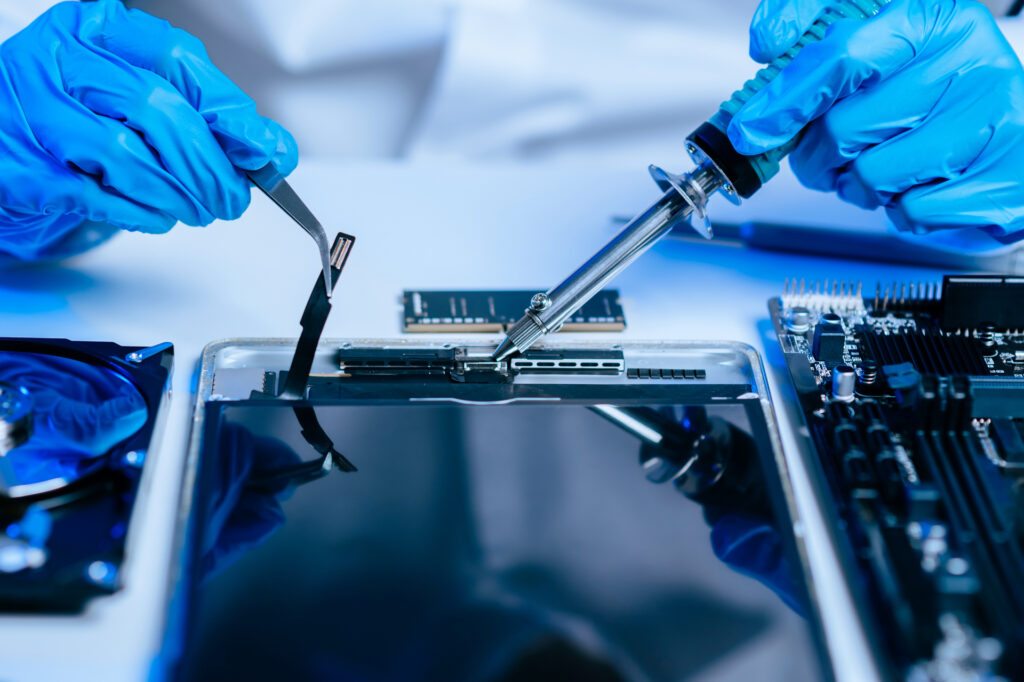
MacBook Specific Considerations:

  • Proprietary parts and design
  • T2 or Apple Silicon security chip considerations
  • Touch Bar repairs (2016-2020 models)
  • Butterfly keyboard issues (2015-2019)
  • Retina display calibration
  • macOS recovery and reinstallation
  • AppleCare and warranty considerations

Windows Laptop Considerations:

  • Wide variety of parts across brands
  • More upgrade options available
  • Easier to source replacement components
  • Windows license and activation
  • Driver compatibility issues
  • Wide range of price points

Laptop Maintenance Tips

Keep Your Laptop Healthy:

  • Shut down properly (don’t just close lid)
  • Keep liquids away from keyboard
  • Use laptop on hard, flat surfaces (not bed or couch)
  • Clean vents and fans every 6 months
  • Don’t block ventilation ports
  • Keep battery between 20-80% when possible
  • Update operating system and drivers regularly
  • Use surge protector for power
  • Install quality antivirus software
  • Backup important data weekly

Signs Your Laptop Needs Professional Attention:

  • Persistent overheating
  • Battery swelling (bottom bulging)
  • Strange noises (clicking, grinding)
  • Frequent crashes or blue screens
  • Burning smell
  • Liquid spill (even if it’s a small amount)
  • Physical damage to screen or case

When to Repair vs. Replace Your Laptop

Repair Makes Sense When:

  • Laptop is 1-4 years old
  • Single issue (screen, battery, keyboard)
  • Repair cost under 50% of replacement
  • Performance is otherwise good
  • Has important data or custom setup

Consider Replacement When:

  • Laptop is 6+ years old
  • Multiple major failures
  • Motherboard failure (expensive repair)
  • Repair cost approaches new laptop price
  • Technology is severely outdated
  • No longer receives security updates

Whether you're searching for laptop repair near me or laptop battery replacement near me, just bring it in for a free diagnostic. We'll give you honest advice about the best path forward.

Free [x]

Lead Magnet Title Goes Here

Lorem ipsum dolor sit amet, consectetur adipiscing elit. Ut elit tellus, luctus nec ullamcorper mattis, pulvinar dapibus leo.

Free [x]

Lead Magnet Title Goes Here

Lorem ipsum dolor sit amet, consectetur adipiscing elit. Ut elit tellus, luctus nec ullamcorper mattis, pulvinar dapibus leo.